


Micro_Drone
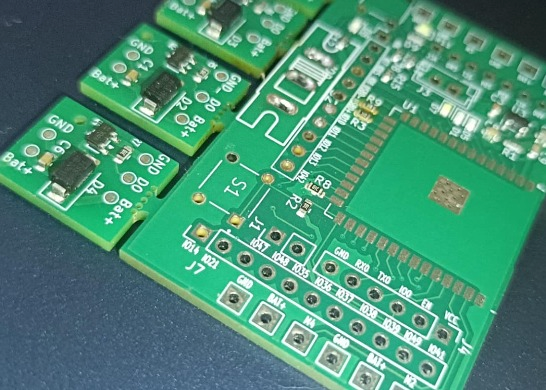
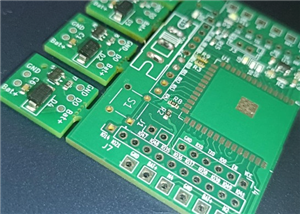
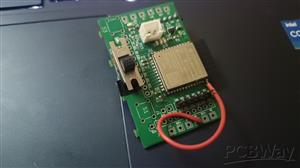
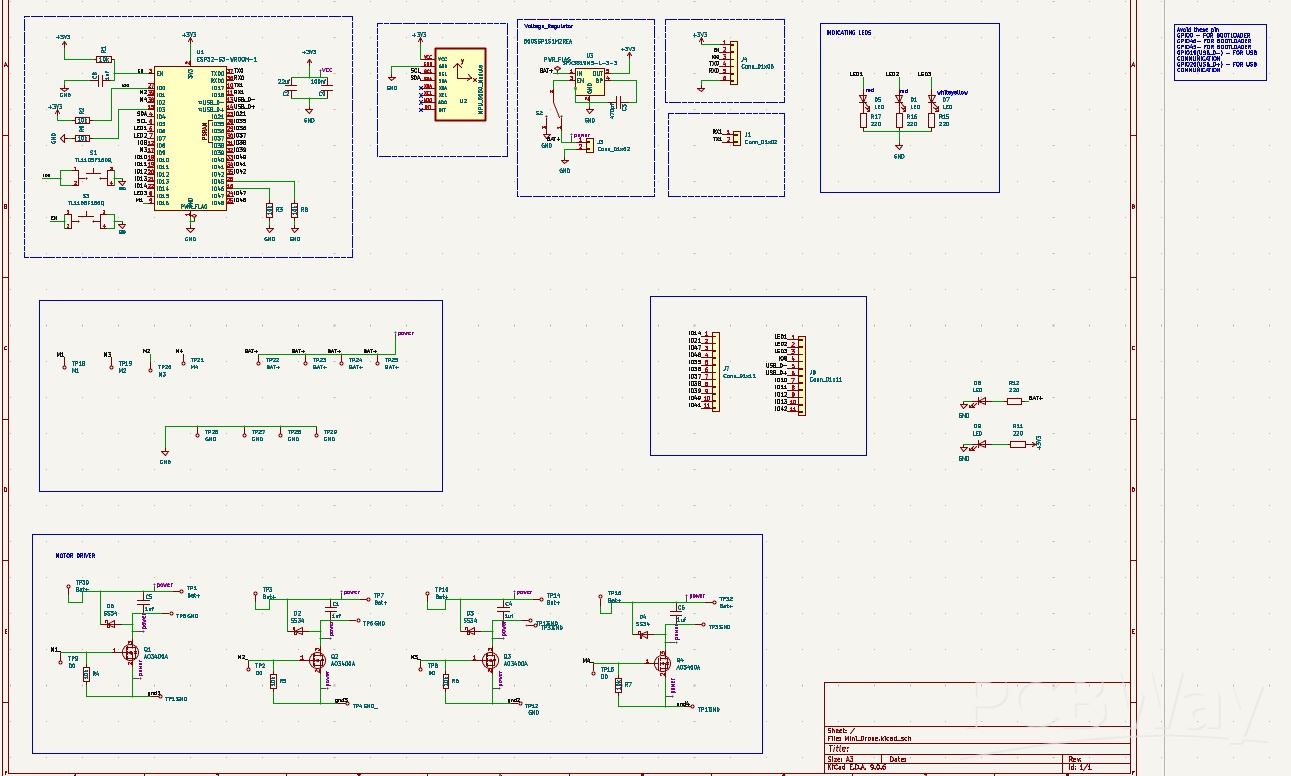
I designed and built a custom flight controller PCB for multirotor drones, starting from schematic design to PCB layout and testing. The board integrates a microcontroller, an IMU with accelerometer and gyroscope, onboard voltage regulation, and motor/ESC signal outputs in a compact form factor. It processes real-time sensor data to estimate orientation and stabilize the drone using control algorithms such as PID. The PCB was designed with careful attention to power integrity, grounding, decoupling, and low-noise signal routing to ensure accurate sensor readings and reliable performance. Standard communication interfaces like I?C, SPI, and UART are provided for sensor communication, configuration, and debugging. This project demonstrates complete end-to-end hardware development and practical understanding of embedded systems, control systems, and PCB design for flight-critical applications.
#include <WiFi.h>
#include <WebServer.h>
#include <WiFiUdp.h>

// ================== WiFi AP Config ==================
const char *ssid = "ESP_Drone";
const char *password = "12345678";
WebServer server(80);

// ================== iBUS Config ==================
#define IBUS_SERIAL Serial1
#define IBUS_TX_PIN 17
#define CHANNELS 14

uint16_t channels[CHANNELS] = {
  1500,1500,1500,1000,  // AETR: Roll, Pitch, Yaw, Throttle
  1000,1000,1000,1000,  // AUX1–AUX4
  1500,1500,1500,1500,1500,1500
};

// ================== UDP Config ==================
WiFiUDP udp;
const int udpPort = 1234;
char incomingPacket[255];

// ================== AUX States ==================
bool auxState[4] = {false,false,false,false};

// ================== AUX Handling ==================
void setAux(int auxNum, bool state) {
  if(auxNum >=1 && auxNum <=4){
    channels[3 + auxNum] = state ? 1500 : 1000; // CH5–CH8
    auxState[auxNum-1] = state;
    Serial.printf("[AUX] Aux%d set to %s\n", auxNum, state?"ON":"OFF");
  }
}

// ================== Web Page ==================
String buildHTML() {
  String html = "<!DOCTYPE html><html><head><title>ESP Drone Modes</title><style>";
  html += "body{font-family:Arial;text-align:center;background:#1a1a1a;color:white;}";
  html += "h1{margin-top:20px;} .buttons{display:grid;grid-template-columns:repeat(2,150px);grid-gap:20px;justify-content:center;margin-top:50px;}";
  html += ".switch{position:relative;display:inline-block;width:60px;height:34px;} .switch input{display:none;}";
  html += ".slider{position:absolute;cursor:pointer;top:0;left:0;right:0;bottom:0;background:#ccc;transition:.4s;border-radius:34px;}";
  html += ".slider:before{position:absolute;content:'';height:26px;width:26px;left:4px;bottom:4px;background:white;transition:.4s;border-radius:50%;}";
  html += "input:checked + .slider{background:#4CAF50;} input:checked + .slider:before{transform:translateX(26px);} ";
  html += ".status{margin-top:30px;font-size:18px;}</style></head><body>";
  html += "<h1>ESP Drone Modes</h1><div class='buttons'>";

  for(int i=1;i<=4;i++){
    html += "<label class='switch'> <input type='checkbox' id='aux"+String(i)+"' onchange='toggle("+String(i)+")'> <span class='slider'></span></label> Mode "+String(i);
  }

  html += "</div><div class='status' id='status'></div>";

  // JavaScript for instant updates
  html += "<script>";
  html += "function toggle(ch){fetch('/aux?ch='+ch);} ";
  html += "async function update(){let r=await fetch('/status');let j=await r.json();";
  html += "document.getElementById('status').innerHTML=";
  html += "'Throttle: '+j.throttle+'%<br>Roll: '+j.roll+'%<br>Pitch: '+j.pitch+'%<br>Yaw: '+j.yaw;";
  html += "for(let i=1;i<=4;i++){document.getElementById('aux'+i).checked=j['aux'+i];}}";
  html += "setInterval(update,1000); update();";
  html += "</script></body></html>";
  return html;
}

void handleRoot() { server.send(200, "text/html", buildHTML()); }

void handleAux() {
  if(server.hasArg("ch")){
    int ch = server.arg("ch").toInt();
    if(ch>=1 && ch<=4){
      setAux(ch, !auxState[ch-1]); // toggle
    }
    server.send(200,"text/plain","OK");
  } else {
    server.send(400,"text/plain","Bad Request");
  }
}

void handleStatus() {
  String json = "{";
  json += "\"throttle\":" + String((channels[3]-1000)*100/1000) + ",";
  json += "\"roll\":" + String((channels[0]-1000)*100/1000) + ",";
  json += "\"pitch\":" + String((channels[1]-1000)*100/1000) + ",";
  json += "\"yaw\":" + String((channels[2]-1000)*100/1000) + ",";
  for(int i=1;i<=4;i++){
    json += "\"aux"+String(i)+"\":"+(auxState[i-1]?"true":"false");
    if(i<4) json += ",";
  }
  json += "}";
  server.send(200,"application/json",json);
}

// ================== iBUS Packet Send ==================
void sendIBUS() {
  uint8_t packet[32];
  packet[0] = 0x20; // length
  packet[1] = 0x40; // command
  for(int i=0;i<CHANNELS;i++){
    packet[2+i*2] = channels[i]&0xFF;
    packet[2+i*2+1] = (channels[i]>>8)&0xFF;
  }
  uint16_t checksum=0xFFFF;
  for(int i=0;i<30;i++) checksum -= packet[i];
  packet[30]=checksum&0xFF;
  packet[31]=(checksum>>8)&0xFF;
  IBUS_SERIAL.write(packet,32);
}

// ================== Setup ==================
void setup() {
  Serial.begin(115200);
  WiFi.softAP(ssid,password);
  Serial.print("[WiFi AP] IP: "); Serial.println(WiFi.softAPIP());

  server.on("/", handleRoot);
  server.on("/aux", handleAux);
  server.on("/status", handleStatus);
  server.begin();
  Serial.println("[Web] Server started");

  udp.begin(udpPort);
  Serial.print("[UDP] Listening on port "); Serial.println(udpPort);

  IBUS_SERIAL.begin(115200,SERIAL_8N1,-1,IBUS_TX_PIN);
  Serial.println("[iBUS] Output initialized");
}

// ================== Loop ==================
void loop() {
  // if WiFi disconnected → stop output (FC will failsafe)
  if (WiFi.softAPgetStationNum() == 0) {
    delay(50);
    return;
  }

  server.handleClient();

  int packetSize = udp.parsePacket();
  if(packetSize){
    int len = udp.read(incomingPacket,254);
    if(len>0) incomingPacket[len]='\0';

    Serial.print("[UDP] Packet received: "); Serial.println(incomingPacket);

    if(strlen(incomingPacket)>=16){
      char buf[5];
      uint16_t udpChannels[4];
      for(int i=0;i<4;i++){
        strncpy(buf,&incomingPacket[i*4],4);
        buf[4]='\0';
        udpChannels[i]=constrain(atoi(buf),1000,2000);
      }

      channels[0] = udpChannels[2];           // Roll
      channels[1] = 3000 - udpChannels[3];    // Pitch (inverted)
      channels[2] = udpChannels[1];           // Yaw
      channels[3] = udpChannels[0];           // Throttle
    }
  }

  sendIBUS();
  delay(7);
}
Micro_Drone
*Wpsload community is a sharing platform. We are not responsible for any design issues and parameter issues (board thickness, surface finish, etc.) you choose.


Attribution-ShareAlike (CC BY-SA) License
Read More⇒








Raspberry Pi 5 7 Inch Touch Screen IPS 1024x600 HD LCD HDMI-compatible Display for RPI 4B 3B+ OPI 5 AIDA64 PC Secondary Screen(Without Speaker)
BUY NOW


- Comments(0)
- Likes(8)
- 1 USER VOTES
- YOUR VOTE 0.00 0.00

-
10design
-
10usability
-
10creativity
-
9content
More by Engineer
-
-
ARPS-2 – Arduino-Compatible Robot Project Shield for Arduino UNO
2531 0 5 -
A Compact Charging Breakout Board For Waveshare ESP32-C3
2984 3 8 -
AI-driven LoRa & LLM-enabled Kiosk & Food Delivery System
3192 2 1 -
-
-
-
ESP32-C3 BLE Keyboard - Battery Powered with USB-C Charging
3259 0 2




















