Kids 2 min timer for brushing teeth
It is a pretty simple project, if you have an RTC clock and an Arduino compatible board you can get it done.
Step 1: 3 Steps for full progress
Step 1: Material


1 Sparkfun Redboard (or any Arduino compatible)
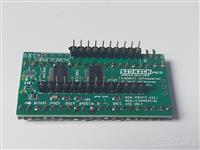
1 Seven Segment Display kit
1 RTC DS1307 Clock kit (see Adafruit Tutorial on how to get or build one your self)
1 push button
Some Plexiglass for overall case. I just make a box from it and glue them together. Nothing fancy.
The RTC Clock is put inside an empty dental floss container so I don&/project/share/#39;t have to cover or worry about short circuiting the board inside the case.
Step 2: Setup your connections

Time to get your breadboard out.
I used Sparkfun tutorial here to connect the 7 segment
I am opting for the Serial UART connection.
Similarly I use this Adafruit tutorial for my RTC clock connection with i2C connection
Step 3: Program
/* Serial 7-Segment Display Example Code
Serial Mode Stopwatch
by: Jim Lindblom
SparkFun Electronics
date: November 27, 2012
license: This code is public domain.
This example code shows how you could use software serial
Arduino library to interface with a Serial 7-Segment Display.
There are example functions for setting the display&/project/share/#39;s
brightness, decimals and clearing the display.
The print function is used with the SoftwareSerial library
to send display data to the S7S.
Circuit:
Arduino -------------- Serial 7-Segment
5V -------------------- VCC
GND -------------------- GND
8 -------------------- RX
*/
/*ADDING 2 MINUTE TIMER*/
/project/share/#include <SoftwareSerial.h>
// These are the Arduino pins required to create a software seiral
// instance. We&/project/share/#39;ll actually only use the TX pin.
const int softwareTx = 8;
const int softwareRx = 7;
int timerbutton = 12;
int timerstart = 0;
SoftwareSerial s7s(softwareRx, softwareTx);
unsigned int counter = 0; // This variable will count up to 65k
char tempString[10],char_hour[2],char_minute[2]; // Will be used with sprintf to create strings
String str_hour,str_minute,str_time;
/project/share/#include <Wire.h>
/project/share/#include "RTClib.h"
RTC_DS1307 RTC;
int s7spowerpin = 9;
void setup()
{
pinMode(timerbutton,INPUT_PULLUP);
pinMode(s7spowerpin,OUTPUT);
digitalWrite(s7spowerpin,HIGH);
// Must begin s7s software serial at the correct baud rate.
// The default of the s7s is 9600.
s7s.begin(9600);
// Clear the display, and then turn on all segments and decimals
clearDisplay(); // Clears display, resets cursor
s7s.print("-HI-"); // Displays -HI- on all digits
setDecimals(0b111111); // Turn on all decimals, colon, apos
// Flash brightness values at the beginning
setBrightness(0); // Lowest brightness
delay(1500);
setBrightness(127); // Medium brightness
delay(1500);
setBrightness(255); // High brightness
delay(1500);
// Clear the display before jumping into loop
clearDisplay();
Serial.begin(9600);
Wire.begin();
RTC.begin();
if (! RTC.isrunning()) {
Serial.println("RTC is NOT running!");
// following line sets the RTC to the date & time this sketch was compiled
RTC.adjust(DateTime(__DATE__, __TIME__));
}
}
void loop()
{
DateTime now = RTC.now();
str_hour=String(now.hour(), DEC);
str_minute=String(now.minute(), DEC);\
Serial.println(digitalRead(timerbutton));
if (digitalRead(timerbutton)==LOW) {timerstart=1;}
while (timerstart==1)
{
Serial.println("timer started");
int timer=0;
clearDisplay();
do
{
s7s.print(String(timer));
timer=timer+1;
delay(1000);
clearDisplay();
}
while (timer<=120);
timer=0;
timerstart=0;
}
if (now.hour()>9) {
if (now.minute()>9) {
str_time=str_hour+str_minute;
Serial.println(str_time);
}
}
if (now.hour()>9) {
if (now.minute()<=9) {
str_time=str_hour+"0"+str_minute;
Serial.println(str_time);
}
}
if (now.hour()<9) {
if (now.minute()>9) {
str_time="0"+str_hour+str_minute;
Serial.println(str_time);
}
}
if (now.hour()<9) {
if (now.minute()<9) {
str_time="0"+str_hour+"0"+str_minute;
Serial.println(str_time);
}
}
// Magical sprintf creates a string for us to send to the s7s.
// The %4d option creates a 4-digit integer.
//sprintf(tempString, "%4d", counter);
// This will output the tempString to the S7S
//s7s.print(tempString);
s7s.print(str_time);
setDecimals(0b00000010); // Sets digit 3 decimal on
///counter++; // Increment the counter
delay(1000); // This will make the display update at 10Hz.
}
// Send the clear display command (0x76)
// This will clear the display and reset the cursor
void clearDisplay()
{
s7s.write(0x76); // Clear display command
}
// Set the displays brightness. Should receive byte with the value
// to set the brightness to
// dimmest------------->brightest
// 0--------127--------255
void setBrightness(byte value)
{
s7s.write(0x7A); // Set brightness command byte
s7s.write(value); // brightness data byte
}
// Turn on any, none, or all of the decimals.
// The six lowest bits in the decimals parameter sets a decimal
// (or colon, or apostrophe) on or off. A 1 indicates on, 0 off.
// [MSB] (X)(X)(Apos)(Colon)(Digit 4)(Digit 3)(Digit2)(Digit1)
void setDecimals(byte decimals)
{
s7s.write(0x77);
s7s.write(decimals);
}
Mar 06,2015
2,389 viewsReport item

- Comments(0)
- Likes(0)
Upload photo
You can only upload 5 files in total. Each file cannot exceed 2MB. Supports JPG, JPEG, GIF, PNG, BMP
0 / 10000